Next.js dashboard template · LLM observability
See what your AI agents did, what it cost and where they failed.
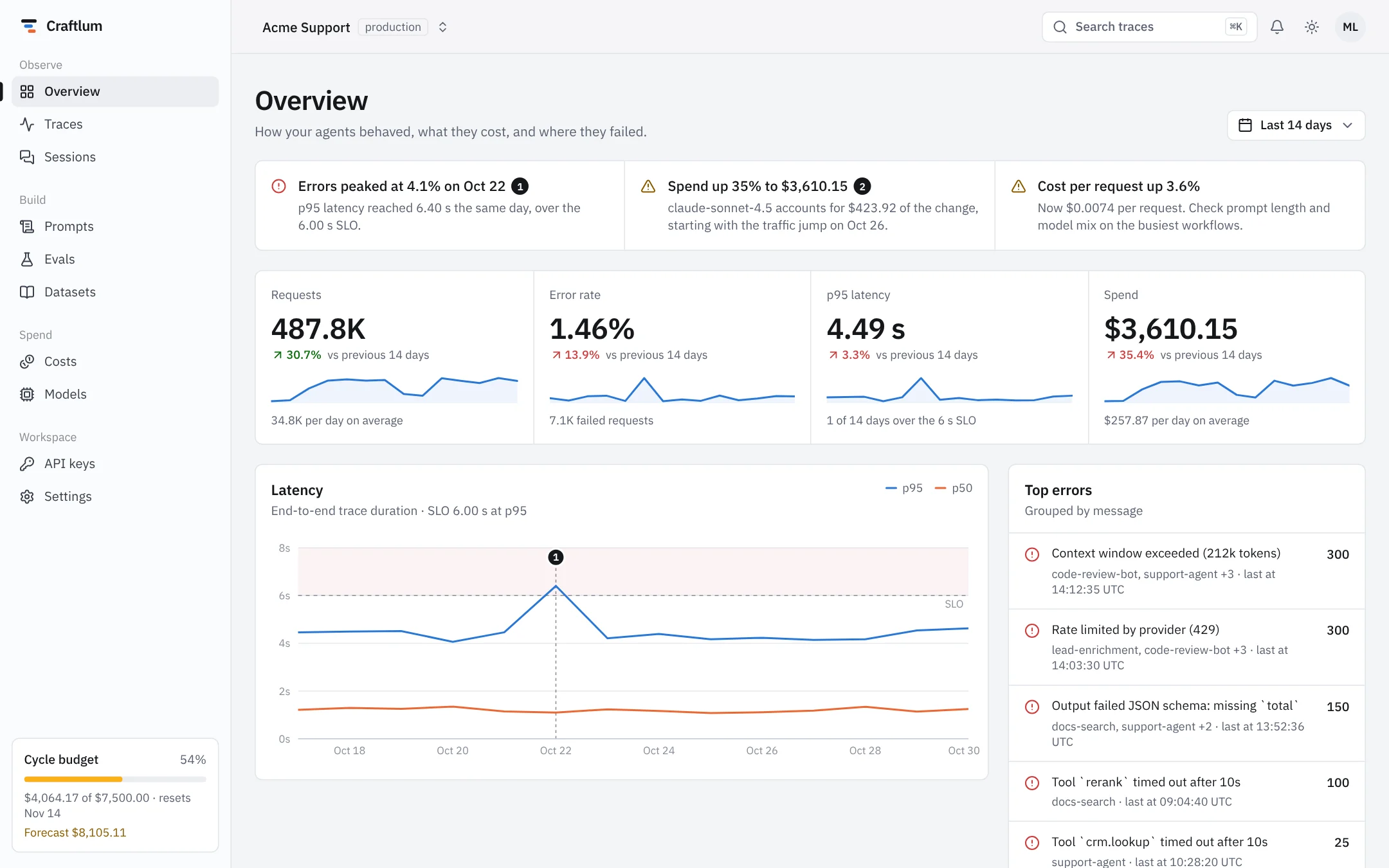
Craftlum is a production-grade dashboard for LLM apps: traces, sessions, prompts, evals, costs and models. Skip the month of building charts and tables and start from 17 finished screens.
- screens, auth included
- 17
- screens, auth included
- themes, tuned separately
- 2
- themes, tuned separately
- seeded traces to click through
- 400
- seeded traces to click through
- backend needed to run it
- 0
- backend needed to run it
Screens
Every view an AI team asks for in the first year.
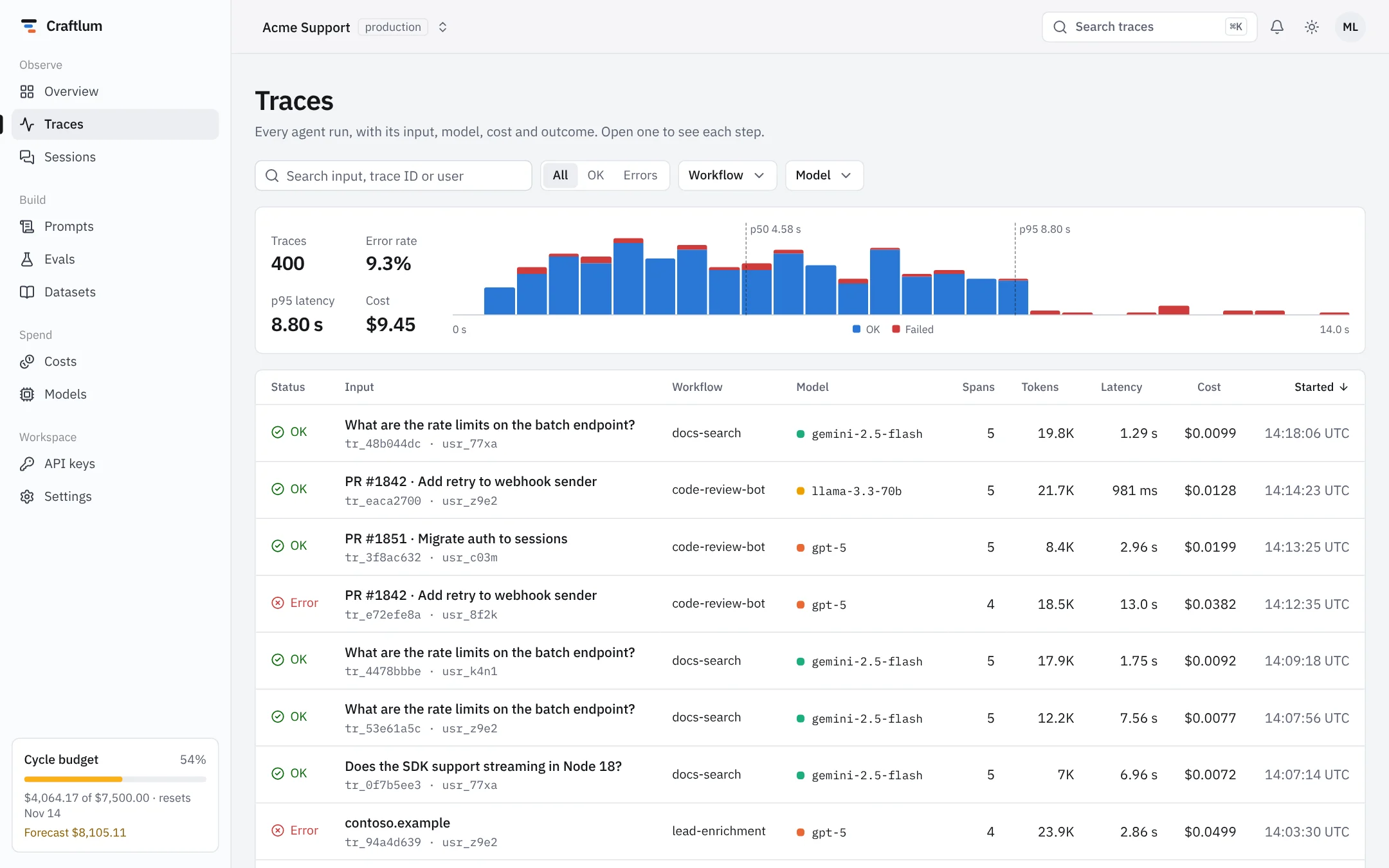
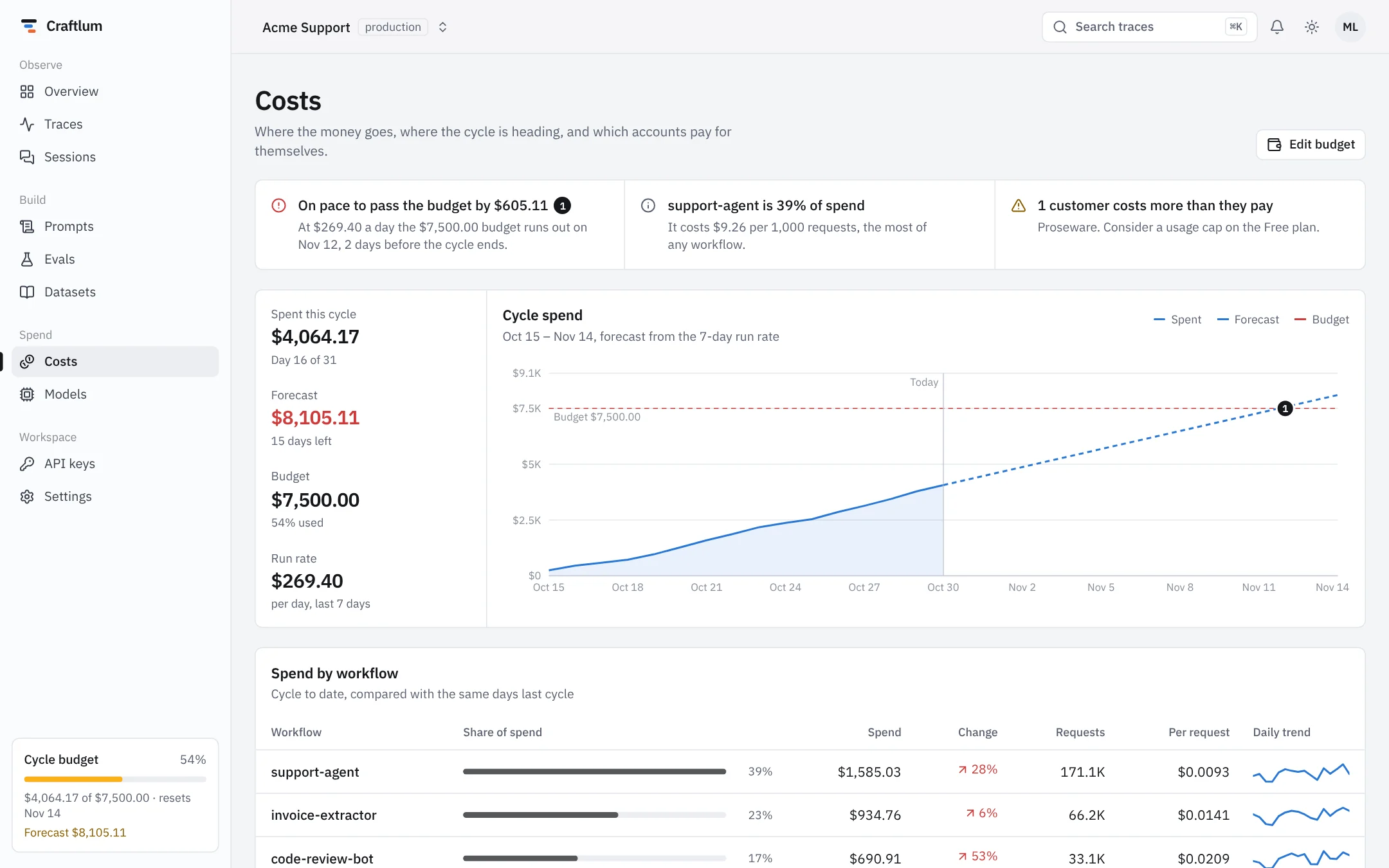
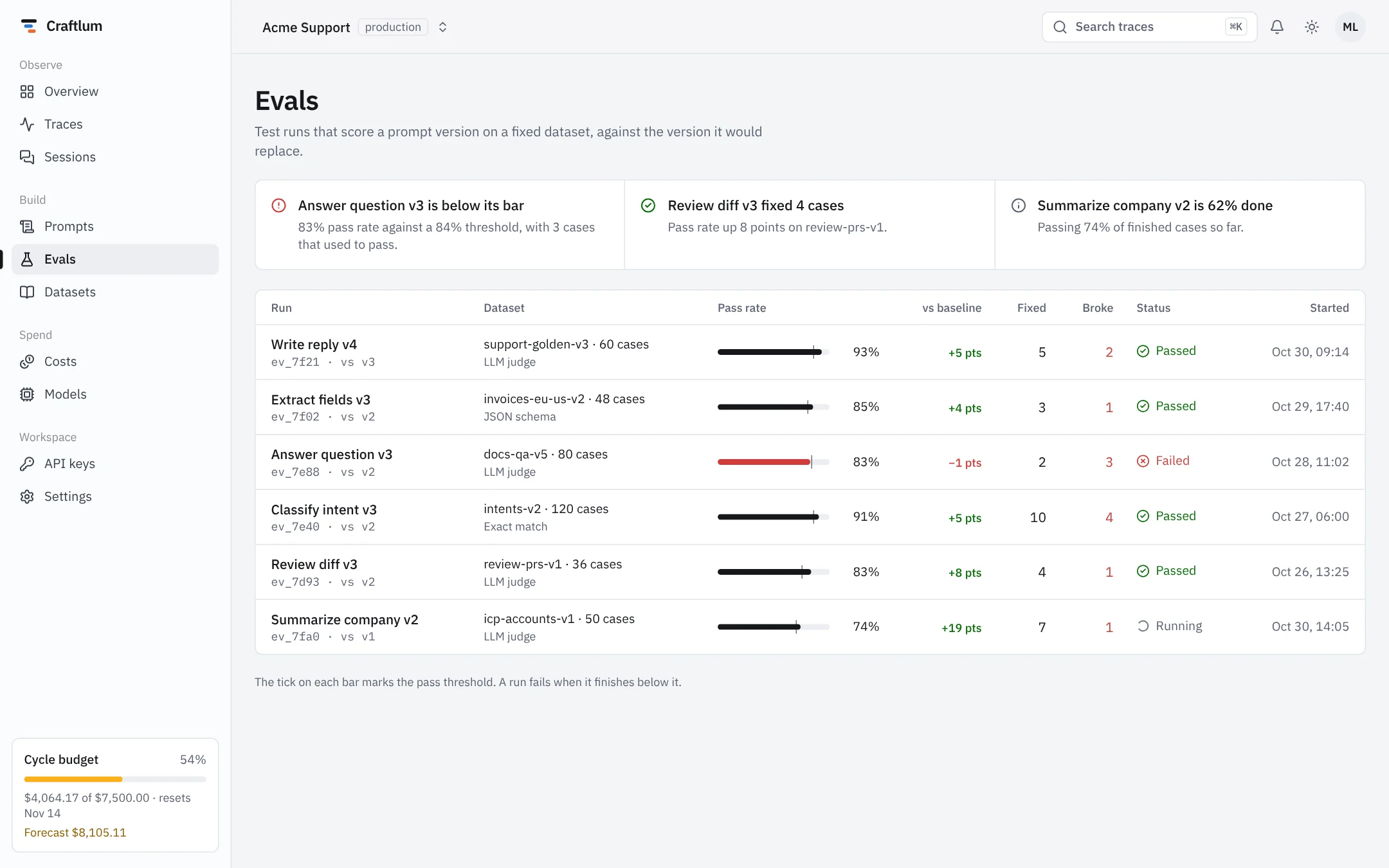
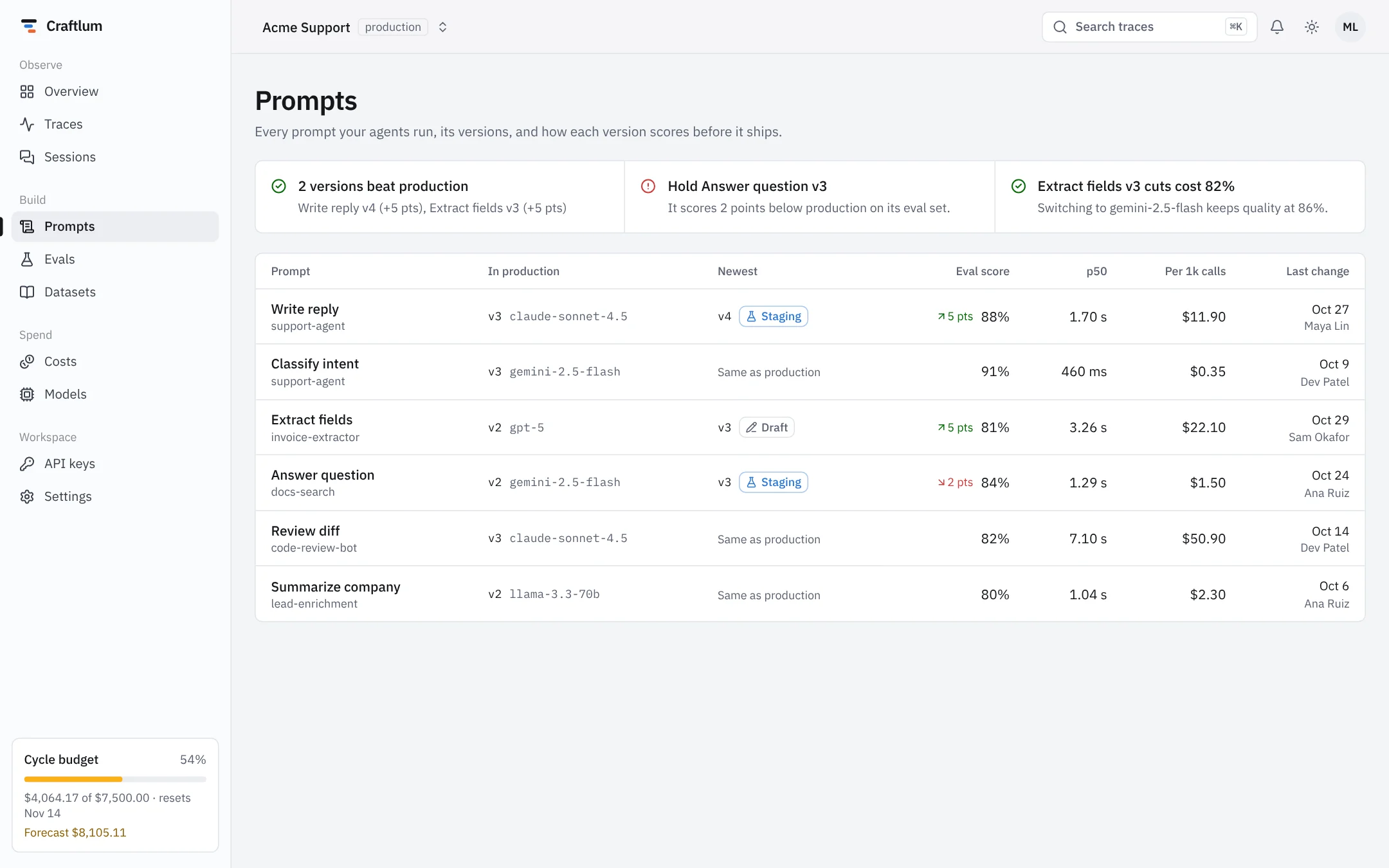
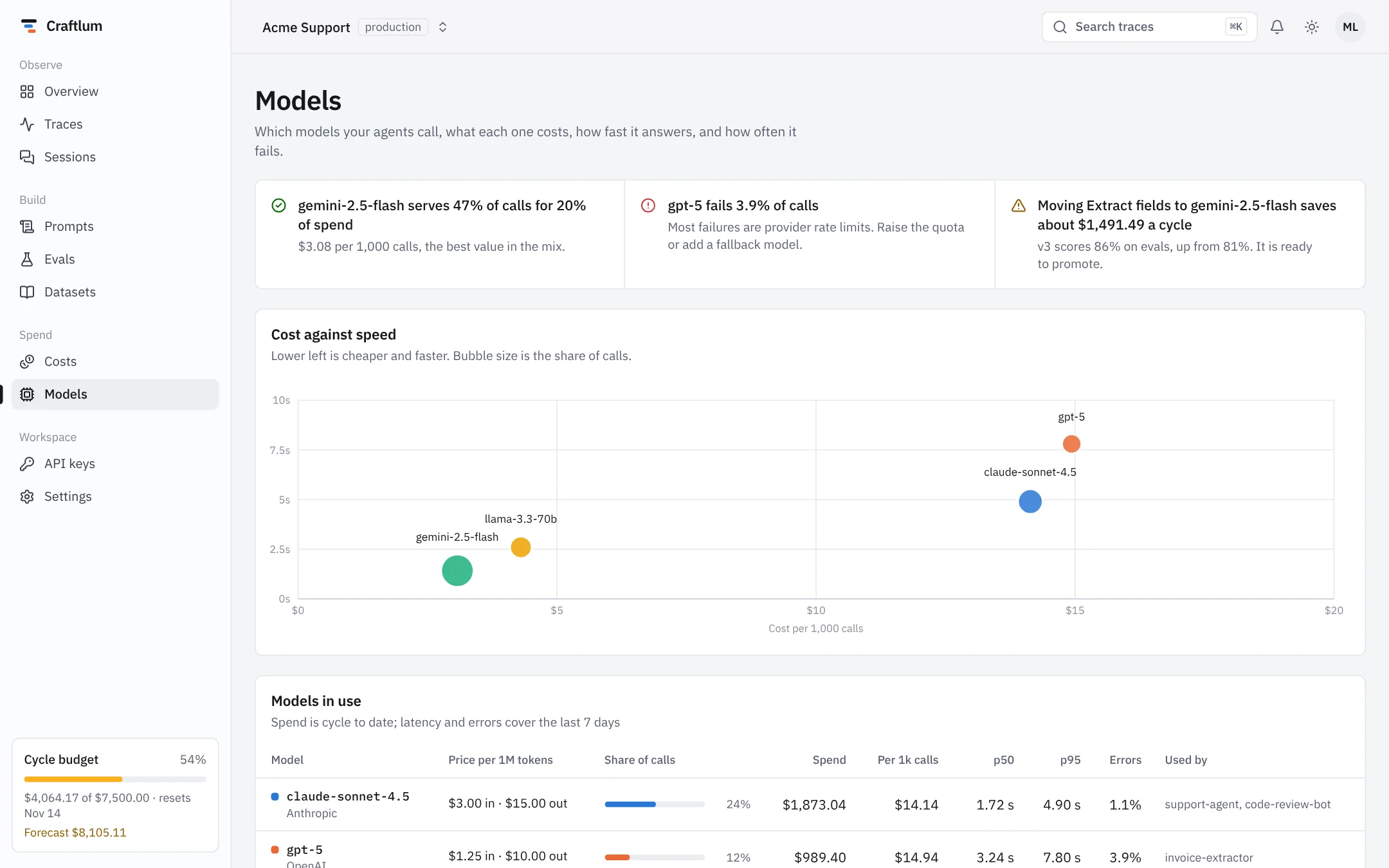
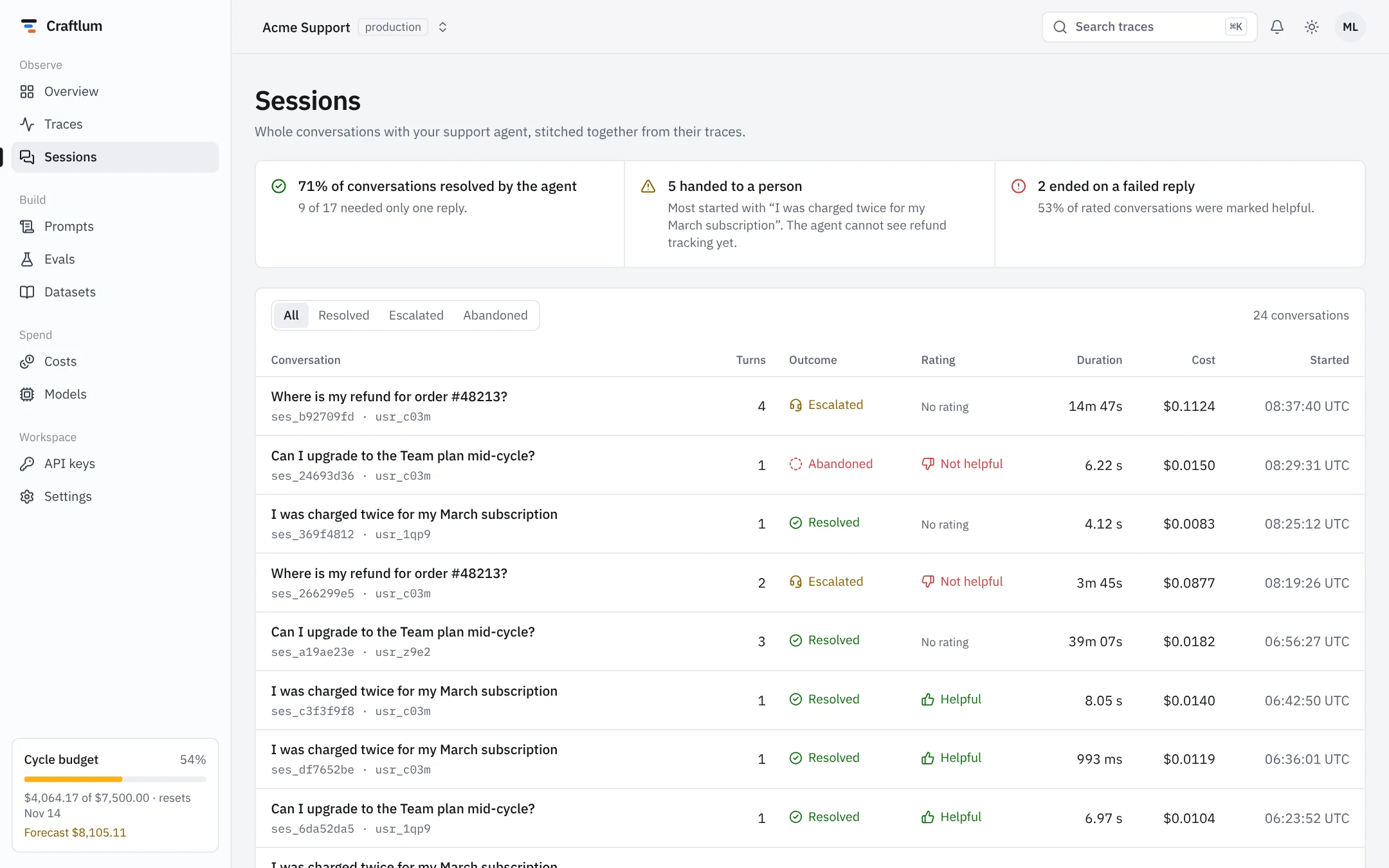
Plus trace detail, session transcript, prompt diff, eval run, datasets, API keys, settings, login and sign-up. Click through all of them in the demo.
Why it’s different
Built like a product, not a gallery of widgets.
Briefings, not just charts
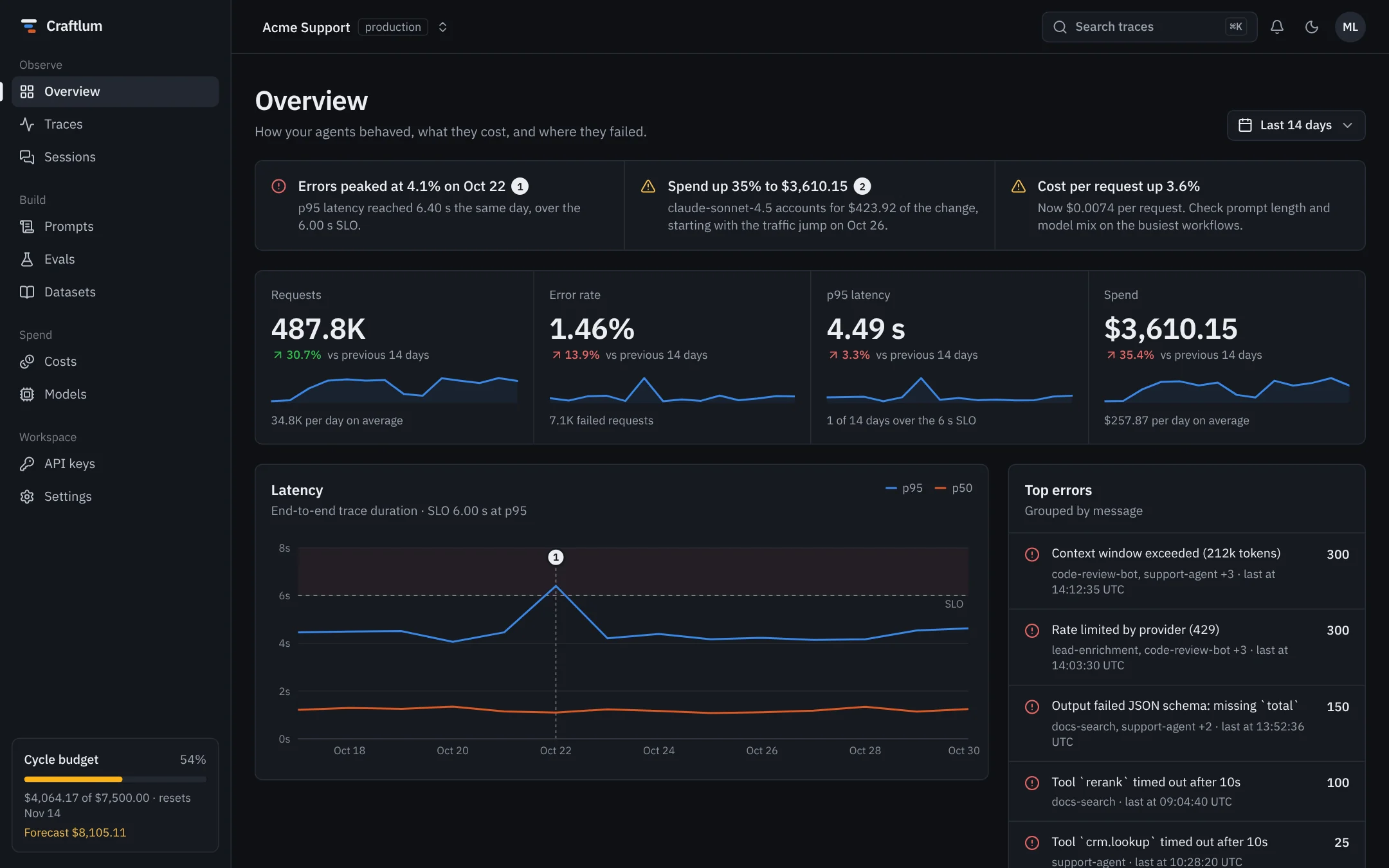
Each screen opens with two or three ranked statements computed from its data: what spiked, what it cost, what to do. Swap in your data and the sentences follow.
Pins tie words to moments
A numbered pin links a briefing sentence to the exact point on a chart, so nobody has to hunt for the Oct 22 error spike.
A real trace waterfall
Nested spans by type, a span inspector with input and output, failure banners. The screen people open most, done properly.
Data color, ink chrome
Neutral surfaces, a colorblind-checked chart palette, status always paired with an icon and a label. Light and dark are tuned by hand, not inverted.
Typed mock layer
Every screen reads from one folder of seeded, SSR-safe functions. Replace them with calls to your API; components only depend on the types.
Current stack, no lock-in
Next.js 16 App Router, React 19, Tailwind CSS v4, shadcn/ui conventions and Recharts. Deploys to Vercel, a Node host or as a static site.
Pricing
One payment. The whole codebase.
Personal
1 developerFor a freelancer or a solo founder building one product or client projects.
$39$49one-time
Launch price, rises to $49 soon
- Full Next.js source code
- All 17 screens, light and dark
- Unlimited projects for you or your clients
- Every 1.x update
Team
Up to 10 developersFor a product team that ships an internal or customer-facing AI dashboard.
$99$129one-time
Launch price, rises to $129 soon
- Everything in Personal
- Up to 10 developers in one company
- Use in a SaaS your customers pay for
- Priority email support
Pay once, keep it forever. Prices in USD; tax is added at checkout where it applies. 14-day refund, no questions asked. Questions before buying? support@craftlum.com
FAQ
Questions
What exactly do I get?
The complete source code of the template: a Next.js project with every screen in the live demo, the design tokens, components and seeded demo data. You download it as a ZIP right after payment, and can ask for access to the private GitHub repository to pull updates.
Is it a SaaS or a library?
Neither. It's a codebase you own and change. There's no backend, account or subscription; you connect it to your own tracing data or API.
Can I use it for client work?
Yes. Both licenses allow unlimited end products for yourself or your clients. You can't resell or share the template itself, on its own or as part of another template or UI kit.
Can I build a paid SaaS with it?
Yes, with the Team license. The Personal license covers internal tools, client projects and free products.
Which tracing backends does it work with?
Any. The screens read typed functions, so you map data from Langfuse, LangSmith, OpenTelemetry, Helicone or your own database into those types.
Do I get updates?
Yes, every 1.x release at no cost, through your download page or the GitHub repository.
Can I try it before buying?
Yes. Click through every screen in the live demo, or clone Craftlum Lite from GitHub: Overview, Traces and Trace detail, free under the MIT license.
What if it isn't a fit?
Email us within 14 days of purchase and you get a full refund, no questions asked.